Java: A Journey into the Depths of the JVM
We open up every part of the JVM one by one, using everyday analogies: the class loader, memory areas, garbage collector, JIT, threads, JNI and the module system — all in plain language.
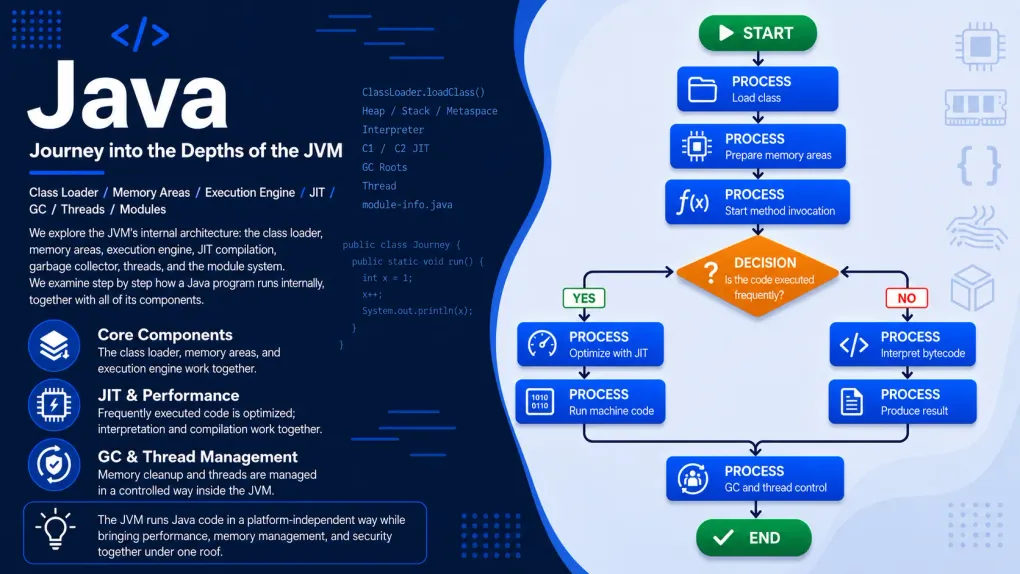
Series · Java
- 1. Java: What Is Java and How Does It Work?
- 2. Java: A Journey into the Depths of the JVM
- 3. Java: Installing the JDK and Your First Hello, World!
In the previous post we drew the map of the JVM: the code you write is turned into bytecode, and the JVM picks it up and runs it. Looking at a map was nice, but to really get to know a city you have to walk its streets. That is exactly what we will do here: step through the JVM’s door and visit each of its parts one by one.
Let me say this up front: this is the most curious and the fullest post in the series. But I promise, I won’t drown you in jargon anywhere. I’ll explain every part first with an everyday analogy; the technical names come last, with a relaxed “keep it in mind if you like, no worries if you don’t.” I’ll put the deepest details in “for the curious” boxes — read them if you want, or skip them and carry on. Grab your coffee, here we go.
First, two words: class and object
Two words will come up a lot in this post: class and object. We’ll cover how to write these in Java at length later on; but so you can follow the JVM tour comfortably, let’s get briefly acquainted now.
Picture a cookie cutter. The cutter itself is not a cookie; it is just a template that says “a cookie will look like this.” That’s what a class is: a mold describing how something will be. For example, a recipe that says “a person has a name and an age.”
And each real cookie you make with that cutter is an object. From the same cutter (class) you stamp out as many cookies (objects) as you want; each one is separate. So, in short: a class is the mold, an object is the real thing that comes out of that mold.
flowchart LR
    C["Class (the mold)<br/>'person: has a name, has an age'"] --> O1["Object<br/>Ada, 30"]
    C --> O2["Object<br/>Can, 25"]
    C --> O3["Object<br/>Ece, 40"]
And there’s our old friend the variable: remember from the algorithms series, it was a box you wrote a name on and put a value inside. In this post, when I say “a note pointing to an object,” the thing holding that note is really a variable.
That’s enough for now. Let’s get back to our real subject — because, as you’ll see, the JVM’s main job is exactly this: loading these classes and managing the objects that come out of them.
Let’s picture the JVM as a business
The JVM is not a single, magical box. Think of it like a small business where things run smoothly. In this business there are roughly three departments, plus a side door:
- The doorkeeper (Class Loader): the department that takes your program in, checks it and puts it in place in an orderly way.
- The warehouse and work desks (Memory): the place where all the things (the data, the objects) sit while the program runs.
- The kitchen (Execution Engine): where the real work gets done. The crew that reads and runs the code, speeds up frequent jobs and clears the desks.
- The side door (JNI): the door through which Java talks to the outside world (the operating system).
Here is the whole picture:
flowchart LR
    KOD["Your program<br/>(bytecode)"] --> KAPI["Doorkeeper<br/>(Class Loader)"]
    KAPI --> DEPO["Warehouse + desks<br/>(Memory Areas)"]
    DEPO --> MUTFAK["Kitchen<br/>(Execution Engine + JIT + Garbage Collector)"]
    MUTFAK --> SONUC["Operating system + processor<br/>→ work gets done"]
    MUTFAK -.-> JNI["JNI (side door)<br/>→ outside world"]
The rest of this post is about visiting each of these departments one by one. We’ll stop at: the door (class loading), the inside of a .class file, the warehouse and desks (memory), the garbage collector, the kitchen (JIT), method calls, threads, JNI and modules. It’s a long list, but don’t worry, we’ll tour it all slowly.
First part: the door — loading classes
Running a program is like a new employee’s first day. Someone greets them at the door, checks who they are, gets their desk ready and makes them ready to start work. In the JVM, the department that does this is called the class loader.
First, a nice detail: this job is lazy. The JVM doesn’t sit down at the start of the program and pull all the parts in at once. It calls a part only the very first moment it truly needs it — just like a restaurant that, instead of piling all the ingredients on the counter, takes out the ingredients for whichever dish was ordered right at that moment. A class you never use is never brought in; this keeps the business light and fast.
Every class that is brought in goes through three stages:
flowchart LR
    A["Needed for the first time"] --> B["1 · Take in<br/>(bring the file into memory)"]
    B --> C["2 · Link<br/>(check → prepare space → bind addresses)"]
    C --> D["3 · Initialize<br/>(put in the starting values)"]
D --> E["Ready!"]- Take in (Loading): The class’s file (that
.classbytecode) is found and brought into memory. - Link (Linking): Three small jobs together. First checking: is the incoming file really valid and safe? A corrupt or malicious file cannot get through here. (Much of the “Java is safe” promise from Part 1 is exactly this checking step.) Then preparing space: boxes are opened in memory for the class’s shared (
static) variables. Finally binding addresses: names in the code like “that method in that class” are bound to their real places in memory. - Initialize (Initialization): The starting values you wrote in your code (like
static int NUM = 42;) settle into place at exactly this step. Now the class is ready to use.
A nice rule at the door: “ask the one above first”
There isn’t really a single doorkeeper; there is a chain. At the very top is the most trusted keeper that brings in Java’s own core classes (Bootstrap), below it a helper (Platform), and at the bottom the keeper that brings in your classes (Application). When a class is to be loaded, the keeper at the bottom doesn’t jump straight in; it first asks the one above it, who asks the one above them: “would you load this?” If no one at the top can load it, the job comes back down to the bottom.
flowchart TD
    A["A class is to be loaded"] --> AP["Your keeper<br/>'let me ask above first'"]
    AP --> PL["Helper<br/>'let me ask above first'"]
    PL --> BS["Most trusted keeper<br/>(core classes)"]
    BS -.->|"if I can't find it, hand back down"| PL
    PL -.->|"if I can't find it, hand back down"| AP
    AP --> OK["Class loaded"]
Why is this order there? For safety. Even if you accidentally write a class named String, you cannot override Java’s real String; because the core classes always come from the very top, from the most trusted source. A small rule, but there’s a nice idea behind it.
Second part: the inside of a .class file
In Part 1 we saw that every .class file starts with CAFEBABE. So what’s behind it? A .class is not a random pile of 0s and 1s; it is an orderly package. Think of it like a shipping box with a table of contents on the lid:
flowchart TD
    A["CAFEBABE + version no<br/>(this is a valid Java file)"] --> B["Constant pool<br/>(names, texts used...)"]
    B --> C["The class's identity<br/>(its name, superclass, flags)"]
    C --> D["Fields + Methods<br/>(including each method's bytecode)"]
One of these deserves special attention: the constant pool.
So a .class file carries two things together: who the class is (which fields, which methods it has) and the runnable bytecode of those methods. The doorkeeper opens this box and takes it through the process we just saw.
Third part: the warehouse and the desks (memory)
Now we step into the busiest place in the business, the memory. While a program runs it produces lots of things and keeps them somewhere. Picture a workshop: there are two main areas.
- The warehouse (Heap): all the objects you produce live here, in one big shared warehouse. A “person,” a “list,” an “order”… they all sit here.
- The work desk (Stack): the temporary notes each line of work (each method) is working on right now sit on a personal desk. When the job is done, the desk is cleared.
The relationship between them is this: the object itself is in the warehouse; on the desk there is only a small note pointing to that object (a link) — like a slip of paper saying “such-and-such object is on that shelf.”
flowchart LR
    subgraph S["Work desk (Stack)"]
        NOT["person = a note →"]
    end
    subgraph H["Warehouse (Heap)"]
        OBJ["person object<br/>name: Ada · age: 30"]
    end
NOT -->|"points to"| OBJHow the desk works: one job on top of another
The desk part is where the program’s flow lives; let’s pause and look. Every time a method is called, a new worksheet for that job is placed on the desk. This sheet has three corners: in one corner the job’s materials at hand (its parameters and local variables), in one corner the place where the math is done, and in one corner a note saying “which job am I doing, where do I return when it’s finished.”
flowchart TB
    subgraph K["A job's worksheet"]
        direction TB
        A["Materials at hand<br/>(parameters + local variables)"]
        B["Calculation corner<br/>(where operations happen)"]
        C["Note<br/>(which job, where to return when done)"]
    end
If a method calls another method, that one’s sheet is placed on top of the previous one. When the job finishes and we return, the topmost sheet is lifted off and the job below continues from where it left off:
flowchart TB
    subgraph MASA["Work desk (top = the job being done right now)"]
        direction TB
        F3["average() job   ← we're working here right now"]
        F2["compute() job"]
        F1["main() job"]
    end
main calls compute; it calls average. The sheets pile up on top of each other; with every RETURN the topmost one is lifted off. This simple “put on top, lift off when done” arrangement is what functions calling each other looks like under the hood.
Fourth part: the garbage collector
Now we come to the nicest mechanism in the warehouse. A program constantly produces new objects, but most of them serve a purpose and immediately turn to trash. Like the plates in a kitchen: most plates are used once and go to the wash, only a few pots stay in play for a long time.
The garbage collector is the dishwasher of this kitchen. It roams in the background, collects the objects nobody uses anymore and frees up their space. You never say “clear that plate”; it sees for itself which ones aren’t being used.
So how does it tell that an object is “no longer used”? It starts from a few ends it holds (like the links on the desks of running jobs) and, going from thread to thread, sees where it can reach. Every object it can reach is alive. Objects it can reach from no end are trash — that “if nobody points to it, it’s trash” idea from Part 1.
flowchart LR
    ROOT["Held end<br/>(a running job's desk)"] --> A["Object A"]
    A --> B["Object B"]
    C["Object C"] -.-> D["Object D"]
Above, A and B are attached to the end we hold; both are alive, and preserved. C and D, even though they point to each other, are attached to no end; both are unreachable, that is, trash. On its next round the garbage collector cleans up C and D — without you saying a single “delete.”
Young and old: why this split?
The garbage collector has a nice trick. Since most objects die young (like those quickly-dirtied plates), let’s split the warehouse in two: a “young” region where new objects are born, and an “old” region the rare ones that manage to live long are moved into.
flowchart LR
    YENI["New object"] --> GENC["Young region<br/>(most are born and die here)"]
    GENC -->|"survived a few cleanups"| YASLI["Old region<br/>(the long-lived ones)"]
Most of the time the garbage collector only looks at the small young region; it finishes quickly there because most objects are already trash. This is called a quick collection (minor GC). Now and then it cleans the whole warehouse, old region included, from top to bottom; this is heavier and is called a big cleanup (major GC). If an object survives a few quick collections and keeps living, it is promoted to the old region as “this one will live long.”
Fifth part: the kitchen — how code runs and speeds up
Now we reach the cleverest part: the kitchen that actually runs the code. How does the JVM run your bytecode? Let’s go with an example.
Say there’s a calculation in your program that runs thousands of times a second. At the very start the JVM reads and runs the code line by line — just like following a recipe step by step the first time you make it. But it also watches: “that calculation keeps running.” After a while it thinks:
“Since I keep doing this job, instead of reading and translating it from scratch every time, let me translate it once, properly, and set it aside. When I need it again I’ll use the ready one.”
Just like a dish you cook often. The first few times you look at the recipe; by the twentieth time you make it from memory. The JVM memorizes the most-run pieces of code the same way: it translates them into machine language once and keeps them, then always uses that ready, fast version. That’s the secret behind a program speeding itself up as it runs. This trick is called JIT (keep it in mind if you like; if not, no matter — the idea is what counts).
flowchart TD
    A["A piece of code is running"] --> B{"is it running<br/>very often?"}
    B -- "no" --> C["read and run it line by line<br/>(reading the recipe the first time)"]
    B -- "yes" --> D["translate it into machine language once<br/>and keep it (memorize)"]
D --> E["from now on always use<br/>the ready, fast version"]How does the JVM find the right method?
One of the kitchen’s frequent jobs is calling methods, and there’s a little cleverness hidden here. Say you have a thing called an “animal,” but the real object inside it is a cat. When you say animal.makeSound(), how does the JVM know whether to make the cat’s sound or the dog’s sound? The answer: at run time, by looking at the real type of the object in hand. So even though it looks like an “animal,” because the thing inside is a cat, it says “meow.” To do this fast, it keeps a kind of “table of contents” of each class’s methods and reaches the right method from there in a single step.
flowchart LR
    V["Variable: animal"] --> O["Real object inside:<br/>Cat"]
    O --> M["when makeSound() is called<br/>the JVM picks Cat's → meow"]
This is what object-oriented programming’s “polymorphism” — which we’ll cover at length later — looks like under the hood. For now it’s enough to say “the JVM picks the right method according to the object’s real type.”
Sixth part: threads (many jobs at once)
We’ve been saying “line of work” all along; let’s now pin it down in one sentence. A thread is a separate line of work running at the same time inside your program. A modern program does many things at once: one draws the screen while another downloads data and a third saves a file. Each one is a thread.
The JVM’s memory layout is designed for exactly this. Remember: the warehouse (Heap) is shared, so all lines of work share the same objects. But each line of work has its own desk (Stack). We summed it up as “shared warehouse, separate desks” — that’s the secret to doing many jobs at once. The lines of work reach the same objects but never mix up their own temporary work.
flowchart TB
    subgraph HEAP["Shared warehouse (Heap) — everyone shares"]
        O1["objects"]
    end
    subgraph T1["Line of work 1"]
        S1["its own desk"]
    end
    subgraph T2["Line of work 2"]
        S2["its own desk"]
    end
    S1 --> HEAP
S2 --> HEAPThe side door: Java sometimes steps outside (JNI)
Everything I’ve described so far happens in the JVM’s safe, orderly world. But sometimes you have to step outside this world. Why? To read a file, pull data from the network, write something to the screen… at the very bottom of these is actually the operating system; in the end it’s the one that does the job. Even Java itself has to reach outside its own world at this point. So even that innocent System.out.println from Part 1 passes, somewhere at its very bottom, through this side door to write to the screen.
This door is called JNI (Java Native Interface). It serves two purposes: it lets Java talk to the operating system, and it lets you use ready-made code written in other languages like C/C++ (libraries that took years of effort and aren’t worth rewriting) from within Java.
flowchart LR
    J["Java code"] --> K["JNI (side door)"]
K --> D["Outside world:<br/>operating system + C/C++ libraries"]The last part: Java’s core is split into drawers too (modules)
Let’s add one more thing and finish. Java is a huge language; inside it are thousands of ready-made tools from text to networking, from databases to graphics. In the old days these all sat in one single, giant chest. Java 9 tidied this up: now Java’s core is split into labeled drawers (modules). The most basic drawer is called java.base; the language’s essentials (text, numbers, lists…) sit there.
flowchart TD
    APP["Your application"] --> M1["java.sql<br/>(database)"]
    APP --> M2["java.net.http<br/>(networking)"]
    M1 --> BASE["java.base<br/>(the language's foundation)"]
    M2 --> BASE
    APP --> BASE
This has a nice consequence: your application doesn’t need the entire giant chest, only the few drawers it opens. With a tool called jlink you can take only those drawers and build a tiny, self-contained Java package. Remember when we said in Part 1 that “Java even runs on a Raspberry Pi” — this is how we fit it onto small devices, with small packages like these.
Let’s put it all together: how does a program start?
We’ve toured all the parts; now let’s bring them together and connect, in one breath, the journey from the moment you type java Hello to the finish. The JVM starts up; the most trusted keeper brings in the core classes; your Hello class passes through the door (brought in, checked, prepared, initialized); the kitchen places a sheet on the desk for its main job and starts working; it first reads the code line by line and memorizes the busy parts with JIT; as you produce objects the warehouse fills up, and the garbage collector cleans it in the background; and when main finishes the JVM shuts down. All these parts work together in this harmony, in every program.
Let’s wrap up
We’ve toured a lot of ground: we came in the door, saw the warehouse and the desks, looked at how the kitchen works, and stopped by the side door and the drawers. Now let’s gather it all into a short list so it sticks.
Related posts
Frequently asked questions
What are the main parts of the JVM?
There are three main sections. The Class Loader: the "doorkeeper" that takes your program in, checks it and puts it in place. The Memory Areas: the "warehouse and work desks" where the program keeps its things while running (the Heap, the Stack, and a few helper areas). The Execution Engine: the "kitchen" that does the real work — reading and running the code, speeding up the busy parts (JIT) and collecting unused memory (the garbage collector). And alongside these there is a "side door" (JNI) through which Java talks to the operating system.
How and when are classes loaded into memory?
Each class is loaded the very first time it is actually used (lazy loading). Loading goes through three stages: taking it in (the file is brought into memory), linking (checking it is safe and valid, preparing its space, binding names to real addresses) and initialization (your own starting values are put in place). The loaders work as a chain and, with an "ask the one above first" rule, they guarantee that the core classes come from the most trusted source.
Where do objects live in memory while a program runs?
The objects themselves live in one big shared warehouse (the Heap). The temporary information each method is working on right now sits on a personal work desk (the Stack); when the job is done the desk is cleared. Alongside these there is an area that holds the "ID cards" of classes (Metaspace) and a couple of small helper compartments. In short: objects in the shared warehouse, the current job on a personal desk.
How exactly does the garbage collector work?
It finds objects that nobody uses anymore and reclaims their memory. If there is no link left leading to an object, it is unreachable and therefore garbage. Because most objects die young, memory is split into a "young" and an "old" region; the quick cleanup of the young region is called a minor collection, and the heavy cleanup of all memory a major one. Java has several collectors (the default is G1); some are good enough to almost eliminate the pauses.
Why does code get faster over time (JIT)?
The JVM first reads and runs the code line by line. But if a piece of code runs very often, the JVM translates it into machine language once, properly, and keeps it — then always uses that ready version, just like cooking a dish from memory once you have made it many times. This trick is called JIT. The JVM does not do it in one shot but in several stages as the code heats up; it optimizes the hottest code down to the finest detail at the very end.
What is a thread and where does it live in the JVM?
A thread is a separate line of work running at the same time inside your program (one draws the screen while another downloads data). The JVM's memory layout is built for this: all threads share the same warehouse (the Heap, that is, the objects), but each one has its own work desk (the Stack). This way they reach the shared objects but never mix up their own temporary work.
What is JNI (Java Native Interface)?
JNI is a side door that lets Java step out of its own safe world and talk to the operating system or to ready-made code written in C/C++. It is used constantly without you noticing: the very bottom of things like reading a file or writing to the screen belongs to the operating system, and Java reaches there through this door. The price: if something goes wrong out there the whole program can crash, and that piece has to be prepared separately for each device. Its modern, safer alternative is the Foreign Function & Memory API in Java 22.
What is the module system (JPMS)?
The module system, introduced in Java 9, splits Java's core and your own application into labeled "drawers" (modules). The most basic drawer is java.base; the essentials of the language live there. Each module declares what it needs and what it opens up to the outside. The nice part: with the jlink tool you can take only the drawers your application actually uses and build a small, self-contained Java package — ideal for small devices.
Do I really need to know all this internal detail?
No, you don't need it to write Java; the JVM quietly handles all of this for you. But knowing how it works makes you a more aware developer: it helps you understand why a program slows down or why its memory swells. Think of this post not as a lesson to memorize, but as a guide you come back to whenever you get curious about what is under the hood.