Algorithms: Conditionals
What is a conditional (IF-THEN) and how does a computer decide? Learn single, double & multi-branch conditions, AND/OR/NOT logic and nested decisions — no code.
Series · Algorithms
- 1. What Is an Algorithm? — Programming From Scratch
- 2. Algorithms: Flowcharts
- 3. Algorithms: Pseudocode
- 4. Algorithms: Variables
- 5. Algorithms: Conditionals
- 6. Algorithms: Loops
- 7. Algorithms: Lists
- 8. Algorithms: Functions
- 9. Algorithms: Dictionaries
- 10. Algorithms: Final Steps
In the previous post we learned variables — the boxes that store information. Near the end there was a small line: adult ← age ≥ 18. That line produced a true/false value — but we never actually did anything with it.
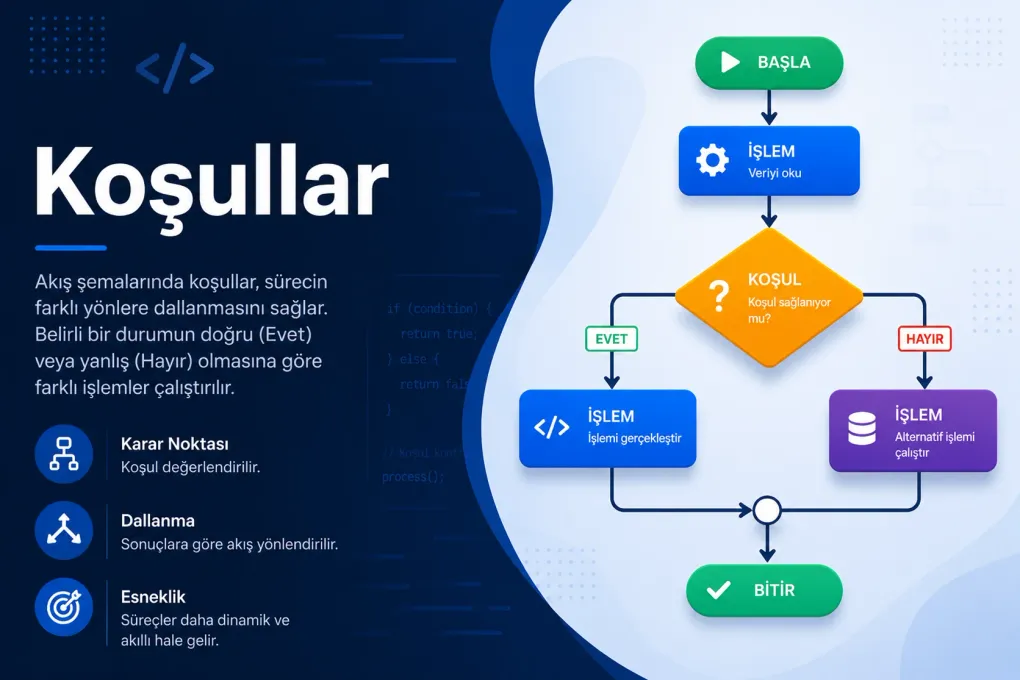
That is exactly what this post is about: looking at a true/false value and choosing a path. A program being able to say “if this is true do that, otherwise do this.” We call it a conditional, and it is the only way an algorithm can make a decision. Everything we have written so far flowed straight down; with conditionals, our program starts making its first real choices.
How does a computer “decide”?
It doesn’t, really. A computer never thinks “hmm, should I turn on the light now that it’s dark?” What it does is far simpler and more mechanical: it asks a question you wrote for it in advance, the answer is only ever true or false, and based on that answer it takes one of two paths — again, the ones you laid out.
That is all there is to it. You do the same thing all day long:
- If it’s raining, take an umbrella.
- If the light is red, stop, otherwise go.
- If there’s enough money in the account, pay; otherwise cancel.
A conditional is how you teach this “if … then” pattern to a computer. The decision isn’t the computer’s — it’s yours; you write the rule and it applies it to the letter. Recall the rule from the first post: a computer isn’t smart, it’s obedient.
Single-branch conditional: “if this, do that”
The simplest conditional asks a single question; if the answer is true it does an extra step, if it’s false it does nothing and carries on. It has just one branch.
The shape: start with IF, write the question, say THEN, write the work on an indented line below, and close the block with ENDIF.
IF isRaining THEN    PRINT "Take your umbrella"ENDIF
PRINT "Go outside"
Read it top to bottom: “If it’s raining, take an umbrella. (Close the block.) Then, either way, go outside.” If it isn’t raining, the PRINT "Take your umbrella" line is skipped entirely and the program goes straight to Go outside. Remember this flowchart from the flowcharts post? What you see below is its written form:
flowchart TD
    A([Start]) --> B{is it raining?}
    B -- Yes --> C[Take your umbrella]
    B -- No --> D[Go outside]
    C --> D
    D --> E([End])
The diamond is IF, the “Yes” arrow is the indented block, and the point where the two paths meet is everything after ENDIF. The drawing and the text are two faces of one idea.
What’s inside a condition? A true/false question
What you write between IF and THEN is a question, and its answer must be either true or false. So where does that true/false come from? From something familiar from the variables post: a comparison.
We know the comparison operators from earlier posts; they are the fuel of conditionals:
| Symbol | Reads as | Example condition | True when… |
|---|---|---|---|
= | equal to | color = "red" | color is exactly red |
≠ | not equal to | answer ≠ "yes" | answer is anything but yes |
> | greater than | score > 100 | score is above 100 |
< | less than | stock < 5 | stock is below 5 |
≥ | greater or equal | age ≥ 18 | age is 18 or more |
≤ | less or equal | speed ≤ 50 | speed is 50 or less |
Each line produces a true/false, and IF looks at that value to pick a path. For example, IF age ≥ 18 THEN really asks “is age ≥ 18 true?” and acts on the answer.
Double-branch conditional: “either this or that”
Often one path isn’t enough: if the condition is true we do one thing, if it’s false we do something else. This is where ELSE comes in. The block splits in two; exactly one of them runs, never both.
IF age ≥ 18 THEN PRINT "Ticket issued, enjoy the film"ELSE PRINT "Sorry, this film is 18+"ENDIFIf age is 20 the top line runs, if it’s 15 the bottom line runs — never both. It is a fork in the road; you take one branch only:
flowchart TD
    A([Start]) --> B{age ≥ 18?}
    B -- Yes --> C[/"Ticket issued" print/]
    B -- No --> D[/"18+ only" print/]
    C --> E([End])
    D --> E
Recall the even/odd example from the pseudocode post; that too was a double-branch conditional:
IF n MOD 2 = 0 THEN PRINT "Even"ELSE PRINT "Odd"ENDIFMOD gives the remainder of a division; if a number’s remainder when divided by 2 is 0, it’s even. With a single conditional we split every number into two.
Multi-branch conditional: “one of several”
Sometimes two options aren’t enough either. Say we want to turn a score into a letter grade: 90 and up is A, the 80s are B, the 70s are C, below that is Fail. That’s four possible outcomes. For this we turn the conditions into a chain: ELSE IF.
IF score ≥ 90 THEN PRINT "A"ELSE IF score ≥ 80 THEN PRINT "B"ELSE IF score ≥ 70 THEN PRINT "C"ELSE PRINT "Fail"ENDIFWe drew this as a chain of decisions in the flowcharts post; now we have the same chain in written form. But there is a critical, easily missed rule here:
ELSE IF isn’t really a new thing; it’s shorthand for “if the previous condition was false, then ask this one.” The plain ELSE at the very end means “if none of the above matched” — a kind of safety net. In a multi-branch conditional it’s usually good practice to include that final catch-all.
Combining conditions: AND, OR, NOT
So far each conditional asked a single question. But real life often demands several conditions at once: “if it’s not raining and it’s warm, go for a picnic.” Those words “and,” “or,” “not” exist in the world of conditionals too, combining small questions into a single true/false answer. They are called logical operators.
AND — all must be true
AND is true only if all the conditions it joins are true; if even one is false, the result is false. It’s a strict, exacting gatekeeper; everyone’s ticket must be in order.
IF isStudent AND isWeekday THEN PRINT "Discounted ticket"ELSE PRINT "Full-price ticket"ENDIFThe discount applies only if you’re both a student and it’s a weekday. A student on the weekend gets no discount; a non-student on a weekday gets none either. AND means “both.”
OR — at least one will do
OR is true if at least one of the conditions it joins is true; it’s false only when all are false. It’s a lenient gatekeeper; a single true answer opens the gate.
IF day = "saturday" OR day = "sunday" THEN PRINT "It's a day off"ELSE PRINT "It's a working day"ENDIFThe day being either of the two counts as a day off. Note that everyday “or” sometimes means “one or the other, but not both” — in programming OR is not like that: if at least one is true, the result is true, even if both are.
NOT — flip the answer
NOT inverts a condition’s result: it turns true into false and false into true. It’s often used to phrase a “negative” situation more readably.
IF NOT loggedIn THEN PRINT "Please log in first"ENDIFNOT loggedIn reads as “if not logged in.” Writing IF loggedIn = false amounts to the same thing, but NOT often reads more smoothly.
Here are all three together, with their everyday meanings:
| Operator | True when… | Everyday phrasing | Example |
|---|---|---|---|
AND | all conditions are true | ”both … and …” | age ≥ 18 AND hasTicket |
OR | at least one is true | ”either … or … (or both)“ | saturday OR sunday |
NOT | the condition is false | ”… not …” | NOT raining |
Nested conditionals: a decision inside a decision
Sometimes we only want to ask a question if another question came back “yes.” We place a second conditional inside the block of the first; this is a nested conditional.
Let’s first check whether a user is logged in, and then — only if they are — whether they’re an admin:
IF loggedIn THEN IF isAdmin THEN PRINT "Welcome to the admin panel" ELSE PRINT "Welcome" ENDIFELSE PRINT "Please log in"ENDIFThe outer condition opens the door; only once you’re inside (logged in) is the inner question asked. If not logged in, the program never even asks “is admin?” — control never reaches it. Notice the inner block is indented one level deeper; here too, indentation shows what belongs to what.
Testing a condition on paper
Remember the trace table habit from the variables post. We do something similar with conditions: run the same condition with different inputs on paper and mark which branch we land in each time. The most valuable inputs are the boundary values — the exact thresholds.
Let’s try the ticket example (age ≥ 18) with a few values:
age | Is age ≥ 18 true? | Which branch runs? |
|---|---|---|
| 25 | true | ”Ticket issued” |
| 18 | true | ”Ticket issued” |
| 17 | false | ”18+ only” |
| 0 | false | ”18+ only” |
Pay special attention to the 18 row: because ≥ is “greater or equal,” a person exactly 18 gets the ticket. Had we written age > 18, an 18-year-old would be turned away — see how one symbol makes a huge difference at the boundary? Always test conditions at these threshold values; most bugs hide right there.
Common mistakes
Try it yourself
Pen and paper are all you need — no other tools. First write the condition in pseudocode, then run it on paper with a few different inputs and check that it lands in the right branch.
Exercise 1 — Pass or fail? (easy)
A student has an exam score. If the score is 50 or above, print “Pass”; below that, print “Fail”.
Exercise 2 — Free shipping (medium)
If a shopping cart’s total is 200 or more or the customer is a member, shipping is free; if neither is true, add a shipping fee of 30.
Exercise 3 — What to wear? (mini project)
Give advice based on temperature: 30 and above “t-shirt,” 15–29 “jacket,” below 15 “coat.” And if it’s raining — whatever the temperature — add “take an umbrella too” to the advice.
Summary
Related posts
Frequently asked questions
What is a conditional (if)?
A conditional is a program branching on a question: "if this is true, do that." A question is asked, its answer is true or false, and the computer takes a different step depending on the answer. This is exactly what the decision (diamond) box in a flowchart and the IF … THEN block in pseudocode do; it is the only way an algorithm can make a decision.
What does IF … THEN … ELSE do?
It is a decision with two paths: if the condition is true the THEN block runs, if it is false the ELSE block runs. It is the "either this or that" case. In real code it appears as IF … THEN … ELSE. When something needs to happen only when the condition is true, you omit ELSE; that is a single-branch conditional.
What are comparison operators?
They build the question inside a condition: = (equal), ≠ (not equal), > (greater), < (less), ≥ (greater or equal) and ≤ (less or equal). Each produces a true/false value that the conditional acts on. The = inside a condition ASKS "are these equal?"; it does not "put a value in a box" like assignment does.
What do AND, OR, NOT (logical operators) mean?
They combine several conditions or invert one. AND requires BOTH conditions to be true (age ≥ 18 AND hasTicket). OR needs at least one to be true (saturday OR sunday). NOT flips a result (NOT raining). These come from Boolean logic.
What is a multi-branch conditional (else if)?
It is a chain used when there are more than two options: IF … THEN, ELSE IF … THEN, ELSE … The computer tries the conditions top to bottom and enters the FIRST one that is true, ignoring the rest. Converting a score to a letter grade (90+ is A, 80+ is B…) is the classic example. This is why the order of conditions matters.
What is a nested conditional (nested if)?
It is placing one conditional inside the THEN or ELSE block of another. The outer question is answered first, and only if you enter that branch is the inner question asked. It is used for dependent, step-by-step decisions like "Is the user logged in? If so, are they an admin?"
What is the difference between = in a condition and = in assignment?
Inside a condition, = is a comparison that ASKS "are these two things equal?" and yields true/false. In assignment, = is a command that PUTS a value into a box. This is the thing beginners confuse most, which is why many real languages use == to test equality and = to assign.